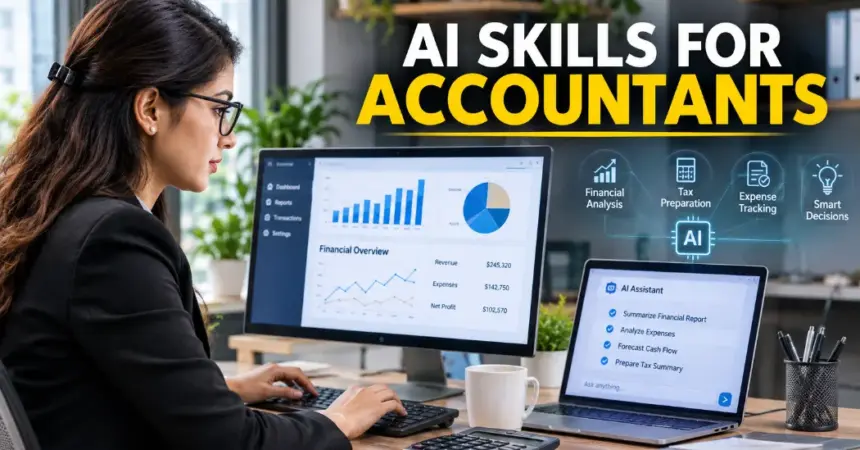
Accounting has always rewarded people who adapt, and the next shift is already here. The AI skills for accountants that matter in 2027 are not about coding or building models. Instead, they are about directing smart tools, checking their work, and turning the time saved into better advice for clients.
If that sounds like a lot, relax. You already have the hardest part: professional judgment. This guide covers the skills worth learning first, the tools to try, prompts you can copy, and a simple 30-day plan. Every step works without writing a single line of code.
Why AI Skills for Accountants Matter Now
Routine work is changing fast. Modern accounting software can read scanned receipts, match bank transactions, and flag odd entries. Auditors now use AI to test every journal entry in a data set instead of a small sample. As a result, firms need people who can supervise these systems, not just feed them.
However, the technology does not remove the need for accountants. It shifts where the value sits. Manual entry matters less each year, while review, interpretation, and advice matter more. Employers have also started creating roles such as AI Accounting Analyst and AI Risk and Controls Specialist. These roles blend accounting knowledge with oversight of automated work.
In short, building AI skills for accountants now puts you ahead of peers who wait. Better still, the learning curve is gentler than most people expect.
What AI Does Well, and Where Humans Still Win
Before you pick up any tool, it helps to know where AI fits. It shines at pattern recognition, repetitive processing, and large volumes of structured data. For example, it can extract figures from documents, match transactions, and spot outliers in seconds.
Humans still lead in several areas. Professional judgment comes first, because someone must decide how a transaction should be treated and sign off on the filing. Ethics and accountability also stay with you, since a regulator will not accept “the software said so.” Finally, client relationships depend on trust, empathy, and context that no tool can fully replace.
Therefore, the goal is not to compete with AI. The goal is to pair its speed with your judgment. Accountants who do this well tend to deliver faster work, catch more issues, and spend more time on the advice clients actually remember.
Core AI Skills for Accountants (No Coding Required)
These six skills come up again and again when firms train their teams. Start at the top and work your way down.
1. AI literacy
You do not need to understand the math behind a language model. You do need to know what it can and cannot do. Generative AI predicts likely text, so it can sound confident and still be wrong. It may even invent a figure or a tax citation that does not exist. Once you understand this, you will treat every answer as a draft, not a fact.
2. Prompting
Prompting simply means giving clear instructions. Vague questions get vague answers. A strong prompt states the role, the context, the format you want, and any limits. You will find ready-to-use examples later in this article.
3. Reviewing AI output
This skill protects you and your clients. Treat AI output the way you would treat work from a junior preparer: fast, useful, and in need of a check. First, compare totals to source documents. Then, verify any tax or regulatory reference against the primary source. Over time, you will spot the usual errors quickly.
4. Data literacy
AI works only as well as the data it receives. Accountants who can spot gaps, duplicates, and messy formats get far better results. Before you trust an AI summary, scan the underlying data for missing months or double-counted invoices. Basic Excel skills, such as pivot tables and filters, go a long way here.
5. Governance and confidentiality
Client data is sensitive. Learn your firm’s policy on which tools are approved, what information may be pasted into them, and how to record AI-assisted work. When you are unsure, remove names and account numbers first. Good habits here protect your license and your reputation.
6. Advisory and communication
As automation takes over more compliance work, clients will pay for insight. That means explaining what the numbers mean and what to do next. Practicing plain-language summaries is a smart way to use AI. The tool drafts the first version, and you add the judgment.
AI Skills for Accountants by Role
The right mix of skills shifts depending on what you do all day. Here is a quick guide.
1. Auditors
Audit is one of the strongest use cases for AI in accounting. Firms use it to test every journal entry in a data set, flag unusual transactions, and support risk assessment earlier in an engagement. As a result, the job moves away from sampling and toward investigating exceptions.
Key skills: population-level testing, anomaly detection, and documenting audit evidence from AI-assisted procedures.
Example task: review a list of flagged journal entries, decide which ones need follow-up, and record why. The AI finds the outliers, and you decide what they mean.
2. Tax professionals
Tax work involves heavy research, classification, and drafting. AI can speed up all three, but a wrong answer here can reach a client or a filing. Therefore, verification matters more in tax than almost anywhere else.
Key skills: AI-assisted research, classification, and drafting, always checked against primary sources such as the code, regulations, and rulings.
Example task: ask an assistant to summarize a tax rule, then confirm every citation yourself before the summary reaches a client.
3. Management accountants and FP&A
Management accountants live in forecasts, budgets, and board reports. AI helps by automating recurring reports and spotting trends faster. Your value then shifts to explaining the numbers and recommending action.
Key skills: forecasting, reporting automation, working with FP&A platforms, and turning data into a clear story for leaders.
Example task: use AI to draft the commentary on a monthly variance report, then edit it so it reflects what you know about the business.
4. Small-practice accountants and bookkeepers
If you run a small practice, AI can feel like an extra pair of hands. Tools now categorize transactions, match bank feeds, and read scanned receipts. That frees time for advisory work, which clients value more than data entry.
Key skills: bookkeeping automation, reviewing AI categorization, and client advisory conversations.
Example task: let the software categorize a month of transactions, review only the exceptions, and use the time saved to call a client about their cash flow.
5. Students and early-career accountants
Entry-level work is changing, since AI now handles much of the routine processing. Even so, firms still need new hires who can learn analytical, communication, and advisory skills. Adding AI skills for accountants to your resume can set you apart early.
Key skills: prompting, reviewing AI output, and basic data literacy, plus a few AI tools you can name on your CV.
Example task: practice with a free assistant and public data, then describe what you learned in an interview.
AI Tools for Accountants to Learn First

The market is crowded, with dozens of products claiming to be AI for accounting. Rather than trying them all, pick tools that fit work you already do. Here is a short starting list built around everyday tasks.
Before you start, use three simple tests to choose a tool.
- First, does it fit your current workflow, or does it force you to change everything?
- Second, can you check its results easily against your own records?
- Third, has your firm approved it for client data? A tool that passes all three is a safe place to begin.
1. Excel Copilot for accountants
Excel Copilot works inside the spreadsheets you already use. You can describe what you want in plain English, and it will suggest formulas, build summaries, or point out patterns in your data. It is a gentle first step because your data stays in a familiar place.
Best for: variance analysis, trial balance summaries, and quick data clean-up.
Try this first: open a monthly P&L and ask Copilot to highlight the three biggest changes from last month. Then check each one with your own formulas.
Keep in mind: availability depends on your Microsoft 365 plan, so confirm what your firm has licensed before you plan your training.
2. QuickBooks AI and Xero
Both platforms use AI to suggest transaction categories, match bank feeds, and flag anomalies. If you serve small-business clients, learning these features frees up the time you now spend on data entry. Some newer features can also read scanned receipts and invoices, which removes a lot of manual typing.
Best for: bookkeeping, bank reconciliation, and cash flow forecasting.
Try this first: run the AI categorization on a prior month’s transactions and compare it with what was actually booked. That shows you how accurate it is before you rely on it in a live close.
Keep in mind: treat the output like work from a junior preparer, and build a review step into every AI-assisted task.
3. ChatGPT and Claude
General-purpose assistants handle writing and explaining tasks well. Use them to draft client emails, summarize long documents, explain technical ideas in plain words, and prepare first drafts of reports. They are also useful for practicing prompts, because you can adjust your instructions and see the difference right away.
Best for: client communication, document summaries, and report drafts.
Try this first: paste in an anonymized client question and ask for a plain-language explanation under 150 words. Then edit it with your own judgment.
Keep in mind: avoid pasting confidential data unless your firm has approved the tool and its privacy settings.
A Sample Month-End Workflow With AI
Seeing the skills in action makes them easier to learn. Here is how a small-practice accountant might use AI during a month-end close.
- Categorize. Let QuickBooks AI or Xero suggest categories for new bank transactions.
- Triage. Review only the flagged exceptions, such as unusual amounts or possible duplicates, instead of checking every line.
- Analyze. Ask Excel Copilot to highlight the biggest variances against last month.
- Draft. Use an assistant to write a short summary of the results in plain language.
- Review. Check the summary against the ledger, correct any errors, and add your own commentary.
Notice that AI handles the repetitive steps, while you handle the thinking. That split is the heart of practical AI skills for accountants. It also saves hours that you can spend on client conversations.
Prompt Engineering for Accountants: Examples You Can Use Today
Good prompt engineering for accountants follows a simple formula: role, context, task, format, and limits. Here are three prompts to adapt for your own work.
- Client email: “Act as a senior accountant. Write a friendly, two-paragraph email to a small-business owner explaining why their quarterly estimated tax payment increased. Use plain language, avoid jargon, and end with one clear next step.”
- Variance review: “You are a financial analyst. Here is a monthly P&L comparing this year to last year [paste anonymized data]. List the five largest variances, suggest a possible reason for each, and mark which ones need follow-up questions for the client.”
- Invoice check: “Review this list of invoices [paste anonymized data]. Identify possible duplicates, missing invoice numbers, and amounts that differ from the purchase order. Present the findings in a table.”
Notice the pattern. Each prompt names a role, gives context, and asks for a specific format. If the first answer misses the mark, send a follow-up with corrections instead of starting over. Finally, always check the output against your source records.
How to Learn AI Skills: A Simple 30-Day Plan
You do not need a big block of free time. A few focused sessions each week are enough to build real confidence.
Week 1: Learn the basics. Take a short AI fundamentals course and read your firm’s AI policy.
Week 2: Practice prompting. Use low-risk tasks, such as drafting emails or summarizing public documents.
Week 3: Try one tool on real work. Use anonymized data, for example, Excel Copilot on a reconciliation.
Week 4: Build a review checklist. Write down what to verify, then share what works with your team.
AI courses and certifications for accountants
Formal training adds credibility. These are the main routes:
- Professional bodies: AICPA & CIMA offer AI-focused continuing education for practicing accountants.
- Certificates: Becker offers an AI certificate for accounting and auditing.
- Short online courses: Courser a and LinkedIn Learning offer AI fundamentals courses that many accountants complete in a week.
- Firm-led training: Internal sessions use your firm’s approved tools and policies.
Before you enroll, look for accounting examples, hands-on practice, and recent content. Many AI courses can also qualify for CPE credit, but rules vary, so check with your state board first.
Common Mistakes When Building AI Skills for Accountants
Most problems come from rushing. Avoid these four traps as you get started.
- Trusting output without checking. Confident wording is not proof. Always verify figures and citations.
- Sharing sensitive data. Pasting client details into an unapproved tool can break confidentiality rules.
- Using vague prompts. One-line questions produce generic answers. Add role, context, and format.
- Trying everything at once. Master one tool and one task first. Then expand.
Learning is also a continuing process rather than a one-time course. Tools change quickly, so set aside a little time each month to test new features and update your checklist.
Will AI Replace Accountants?
Not likely, at least not the accountants who adapt. AI is strong at pattern recognition and repetitive processing. It is weak at professional judgment, ethical decisions, and client relationships. The realistic outcome is that AI replaces tasks, not the profession. For a deeper look, read our article on whether AI will replace accountants.
That is why AI skills for accountants are a career advantage rather than a threat. People who combine accounting expertise with AI fluency are better positioned for new roles and promotions. On the other hand, those who ignore the shift may be left with the work that is easiest to automate.
Conclusion
AI will keep changing accounting, but the path forward is clear. Learn the basics, practice prompting, review everything, and protect client data. This week, start with one small task, such as drafting a client email or testing Excel Copilot on a spreadsheet. Small steps like these build the AI skills for accountants that employers and clients will value in 2027 and beyond. Which task will you hand to AI first?
FAQs
What AI skills should accountants learn first?
Start with AI literacy, prompting, and reviewing output. Those three apply to almost any tool your employer adopts.
Do accountants need to learn coding to use AI?
No. Modern tools respond to plain English, so your accounting knowledge and clear instructions matter far more than programming.
Is it safe to put client data into AI tools?
Only if your firm approves the tool and its privacy settings. When in doubt, anonymize the data or ask your compliance lead first.
How long does it take to build AI skills as an accountant?
Most people can learn the basics in about a month with a few focused sessions each week. However, AI tools keep changing, so treat learning as an ongoing habit rather than a one-time course.
Which AI tool should an accountant learn first?
Start with the tool closest to your daily work. For many accountants, that means Excel Copilot or the AI features in QuickBooks or Xero, plus a general assistant for drafting and summaries.