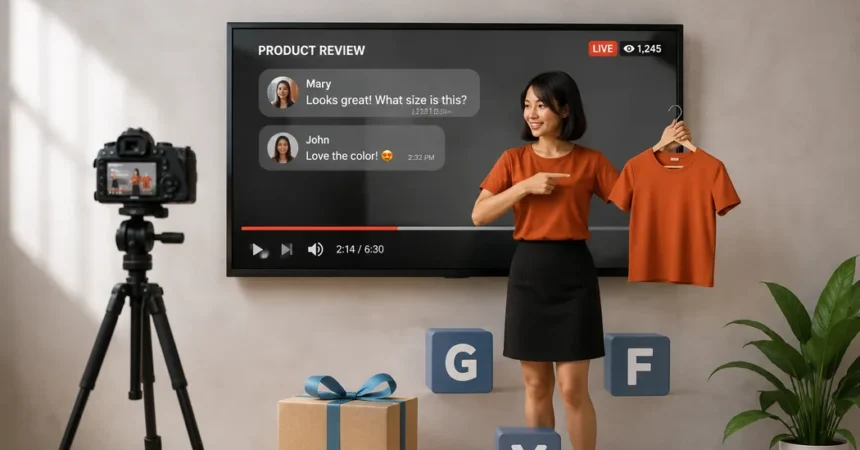
Are your product pages missing a powerful conversion tool? Ever scrolled through an online store and wondered why some products just grab your attention? You know the ones. They make you stop. Watch. Click “Add to Cart” almost without thinking. That’s the magic of video. Especially YouTube product videos. They do something, images and text just can’t. They pull people in. Also, they explain, they show, they persuade.
If you’re running a WooCommerce store and haven’t added video yet, you might be leaving a lot of sales on the table. Don’t worry. You’re about to see why videos aren’t just a “nice to have” anymore. They’re a must. We’ll cover how Best WooCommerce Product Videos, along with the Product Gallery Video Plugin, can change the game for your online store.
Why Product Videos Are Essential in eCommerce
Videos catch the eye. They hook people. Think about it. Would you rather read a paragraph about a blender? Or see it crush ice, mix smoothies, and steam vegetables in real-time? That’s the power of a product video for WooCommerce.
Videos also build trust. You can show exactly how the product works. No surprises. Less guesswork. Less disappointment. And hey, fewer returns mean happier customers and happier you.
Sometimes words just don’t cut it. Videos do. They make your products come alive. Customers feel like they’re holding it, even through a screen.
Impact of YouTube Product Videos on Engagement
1. Increase Time on Page
Videos make people stay longer. Simple. If a visitor clicks on a product video, they hang around. They explore other products. They scroll through reviews. Google notices this. Longer page time = better SEO signals.
2. Boost Social Sharing
People love sharing videos. A short demo or unboxing on a WooCommerce YouTube Plugin can go viral. More shares, more clicks, more potential buyers. And guess what? You didn’t even spend extra on ads.
3. Higher Conversion Rates
Numbers don’t lie. Pages with product videos convert better. Way better. Up to 80% more, according to some studies. Why? Because videos build confidence. They reduce hesitation. People feel informed, not pressured. They buy.
Best Practices for WooCommerce Product Videos
1. Keep Videos Short and Focused
Don’t drag it out. 60 to 90 seconds is enough. Show the best bits. Cut the fluff. People online are impatient. They want info fast.
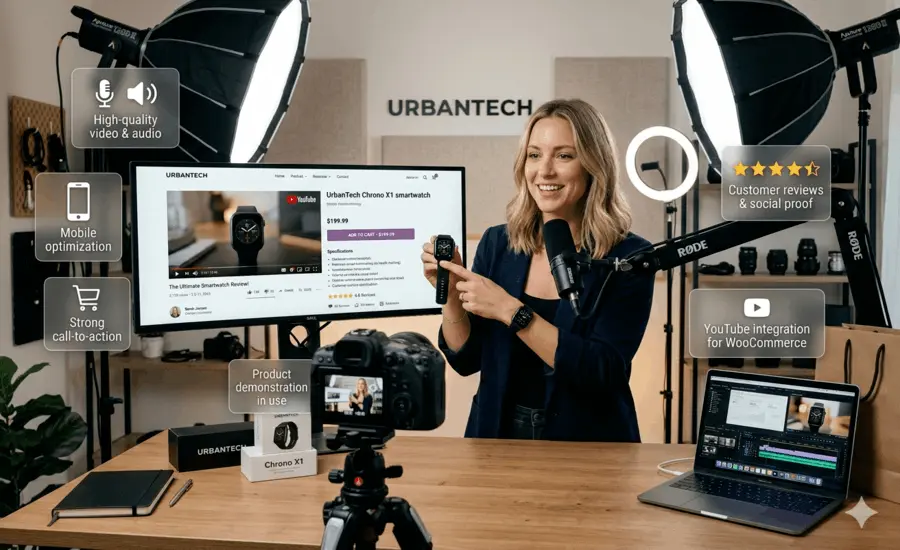
2. Use High-Quality Visuals
Blurry video? Bad audio? No. That screams “cheap” and kills trust. Invest in good lighting, clear visuals, and sharp audio. Make it look professional, even if your brand is casual.
3. Include a Call-to-Action
Don’t leave them hanging. Tell them what to do next. “Add to Cart,” “Learn More,” “Watch More Videos.” Small, simple, effective.
Integrating Product Videos in WooCommerce
1. Using a Product Gallery Video Plugin
Here’s the magic. A Product Gallery Video Plugin lets you easily add videos to your WooCommerce product pages.
You can:
- Embed YouTube, Vimeo, Dailymotion, and self-hosted MP4s
- Feature single or multiple videos in your product gallery
- Make one video the main product image
Plugins like the YouTube Playlists and Product Gallery Videos for WooCommerce make it super easy. You don’t need to be tech-savvy. It just works. And it looks great.
2. Adding Multiple Videos
Some products need more than one video. Maybe a demo, a testimonial, a setup guide. Adding multiple videos to your gallery shows everything. Gives customers confidence. They know exactly what they’re buying.
3. Full YouTube Playlist Integration
Even better, some plugins let you import full YouTube playlists. One click. Boom. All your tutorial videos, unboxings, and reviews right on the product page. Customers don’t need to leave. Engagement goes up. Sales go up.
Choosing the Right WooCommerce YouTube Plugin
Not all plugins are made equal. Pick one that works with your theme and builder. Elementor? Divi? WPBakery? Make sure it’s compatible. Also, check for:
- Responsive layouts
- Multiple video sources (YouTube, Vimeo, Dailymotion, MP4)
- Customization options (size, autoplay, loop, thumbnails)
- Seamless integration with your WooCommerce product gallery
The WooCommerce Product Video Gallery Plugin ticks all these boxes. Plus, it’s easy to manage. No messy settings scattered all over the dashboard.
Leveraging Product Videos for Marketing
1. Use Videos in Email Campaigns
Yes, email still works. But plain text is boring. Embed a product video. Watch your click-through rates rise. People love videos. It’s easy to stand out in a crowded inbox.
2. Social Media Marketing
Share clips on Instagram, Facebook, and LinkedIn. Short demos, highlights, fun moments. Videos are shareable. They drive traffic back to your store. And some of that traffic converts.
3. Retargeting Campaigns
A visitor checks your product but leaves. Show them a video ad next time. Seeing the product in action reignites interest. Converts fence-sitters into buyers. Smart.
Analyzing the Impact of Product Videos
1. Track Engagement Metrics
Use Google Analytics, WooCommerce reports, whatever you prefer. Check:
- Time on page
- Bounce rate
- Conversion rate
You’ll see videos make a difference.
2. A/B Testing
Try different video lengths, thumbnails, and positions in the gallery. Small tweaks make a huge difference. Moving a video above the fold? Boom. Higher conversions. Changing thumbnail style? Another boost.
Benefits of WooCommerce Product Videos for Your Store
- Improved User Experience – They get the product. Fast.
- Increased Engagement – Videos hold attention. People watch longer.
- Higher Sales and Conversions – Confidence = purchases.
- Better SEO Performance – Longer page time, lower bounce = Google likes you.
- Competitive Advantage – Most stores still use only images. Videos set you apart.
Examples of Effective Product Videos
Example 1: Electronics Store
One electronics store added unboxing and setup videos. Conversion jumped 40%. Returns dropped. Simple demo videos made a huge difference.
Example 2: Fashion & Apparel
The clothing store showed models wearing outfits. Different sizes, angles, and real-life movement. Result? More sales. Fewer exchanges. Happy customers.
Example 3: Home & Lifestyle Products
A home décor store made DIY and usage tutorial videos. People shared them on social media. Traffic surged. Engagement went through the roof.
Best Practices for Video SEO in WooCommerce
1. Start with the basics
Titles. Descriptions. Thumbnails. These little things are huge. Make your title descriptive, but not boring. Something like “Blender 3000, Smoothies in 60 Seconds | Product Video for WooCommerce” works better than just “Blender Demo.” People and search engines like context.
2. Descriptions are another goldmine
Don’t just copy your product description. Add a few sentences explaining what the video shows. Sprinkle in keywords naturally, like a product video for WooCommerce. But don’t overstuff. Nobody likes spammy content.
3. Thumbnails matter
Eye-catching thumbnails get clicks. You want something clear, bright, and attention-grabbing. A blurry image or a generic screenshot? Forget it. No one clicks that.
4. Captions are more than accessibility
They’re SEO too. Search engines read text, not video. If you include captions, Google can “see” your video content. Plus, captions help viewers who watch without sound. Win-win.
5. Don’t forget schema markup
Yeah, it sounds technical, but it’s worth it. A simple video schema tells Google this is a video. Result? Rich snippets in search results, higher visibility, better CTR. Every little detail counts.
Conclusion
Videos aren’t a gimmick. They’re essential. YouTube product videos and a reliable Product Gallery Video Plugin turn static product pages into engaging experiences.
Customers see, understand, and trust your products. They spend more time, share more, and most importantly, they buy.
If you haven’t added WooCommerce Product Videos yet, now’s the time. Small effort, big impact. Your sales and your customers will thank you.